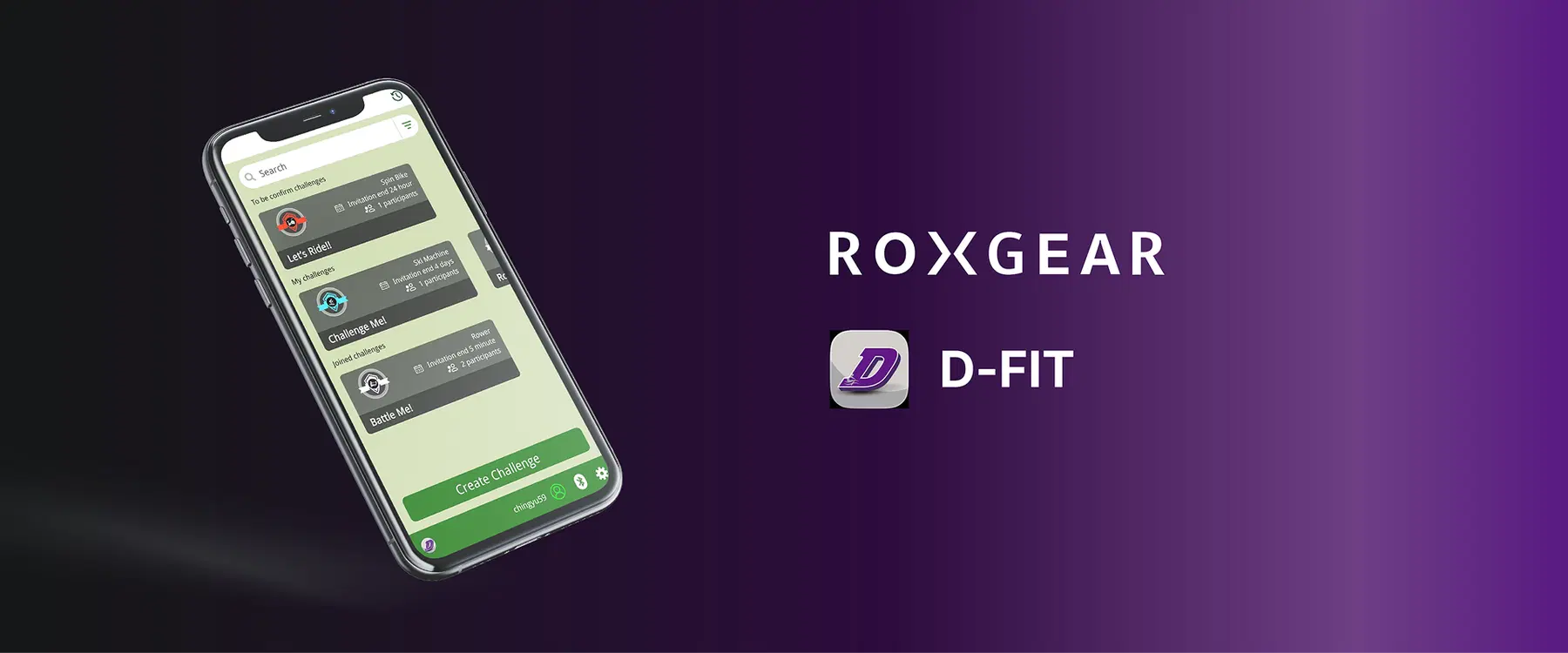
How to Create and Join Competitions with D-Fit
Challenge friends or join online competitions to keep your workouts engaging, fun, and full of energy! Adding competition to your routine not only increases motivation but also helps you stay more consistent and connected with others. D-Fit makes it easy to create custom challenges or participate in existing ones, allowing you to turn every session into a shared, goal-driven experience.
Below is a sample set of steps demonstrating how to create an online competition with D-Fit. Actual steps may vary slightly depending on your device.
How to create a competition:
01
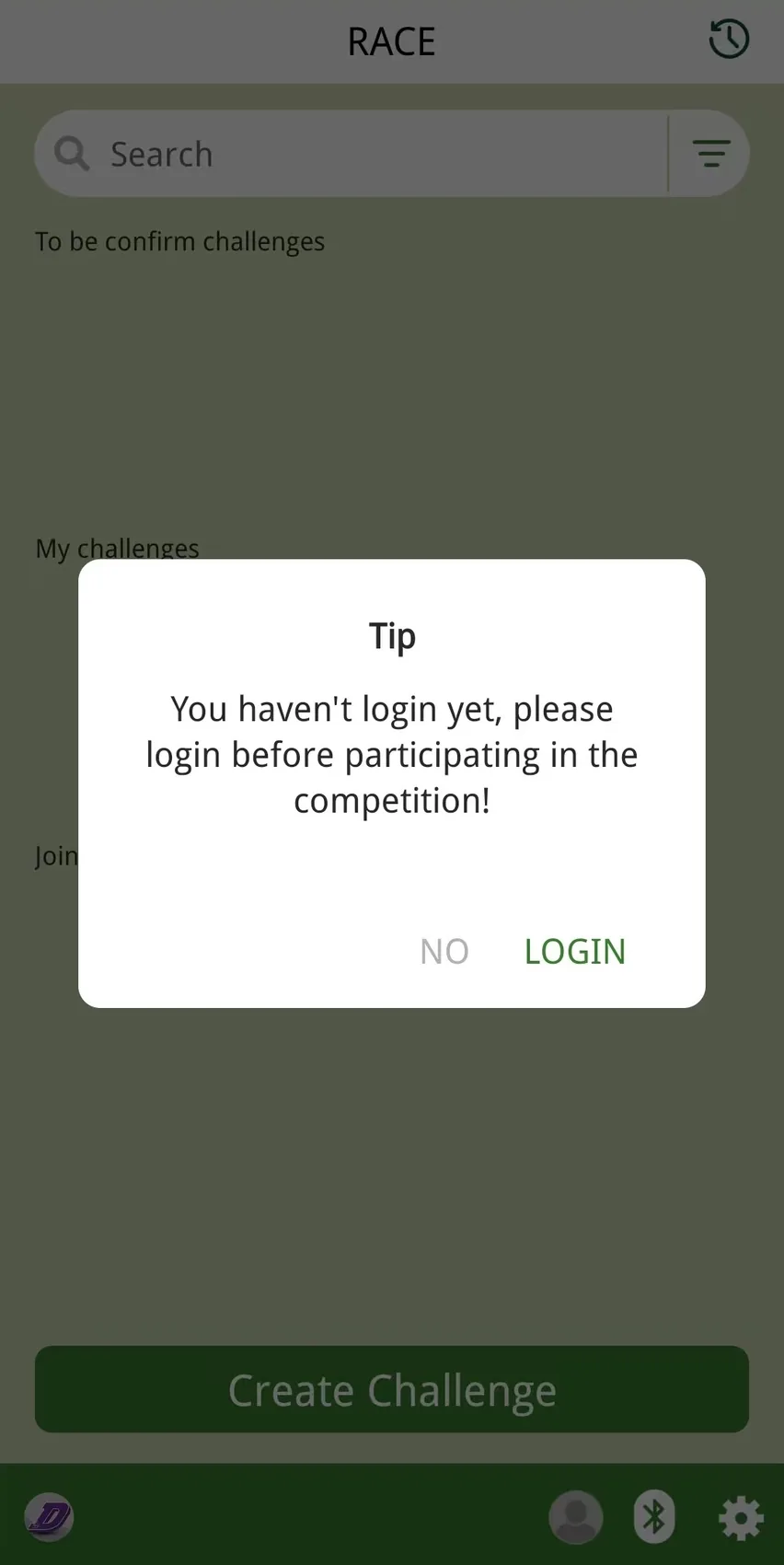
Once you open the APP, swipe 2 times to the left to enter the RACE page. If you have already logged in, skip to Step 3.
02
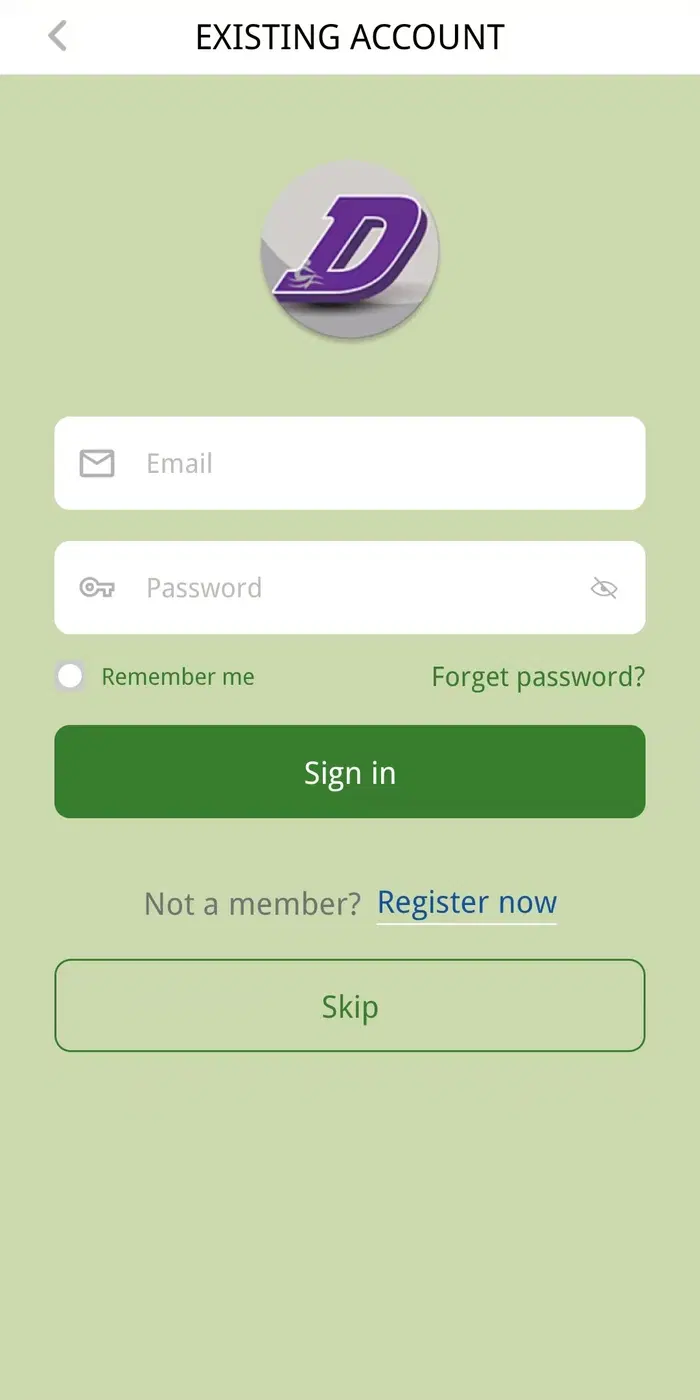
Log in an existing account or register a new account.
03
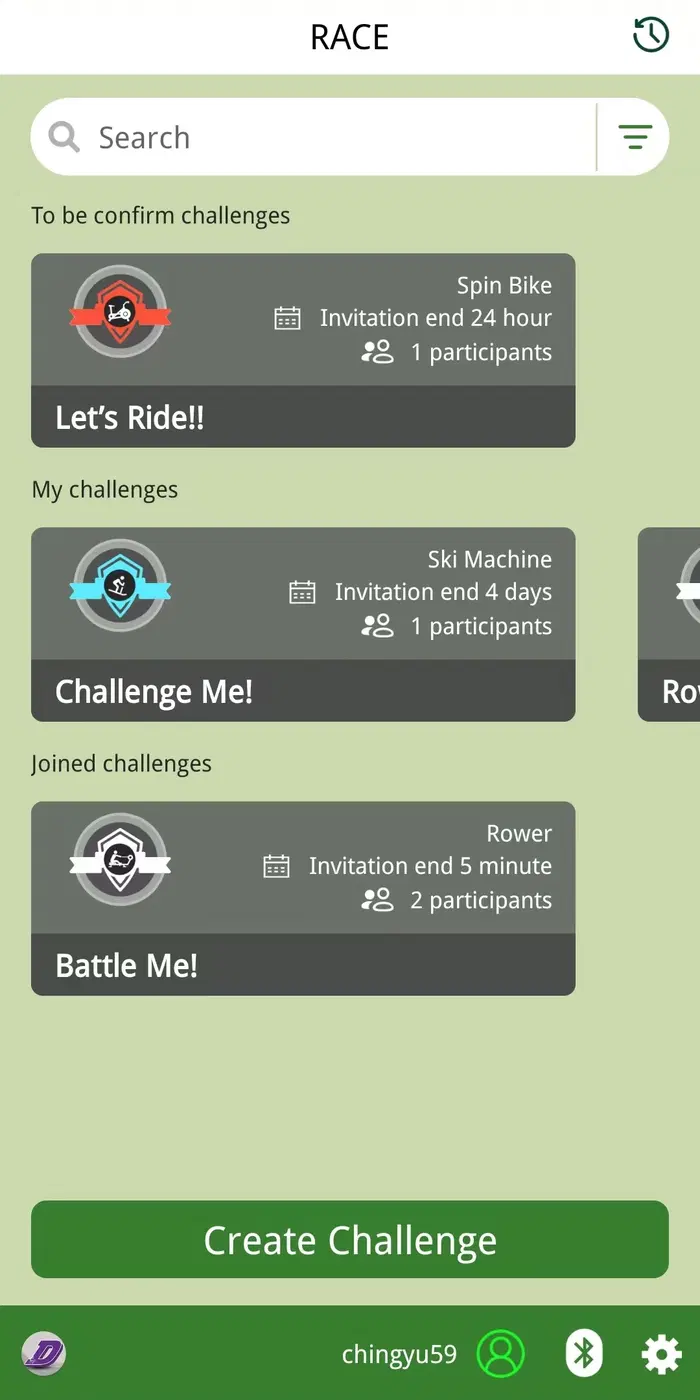
Once you have logged in, select Create Challenge.
04
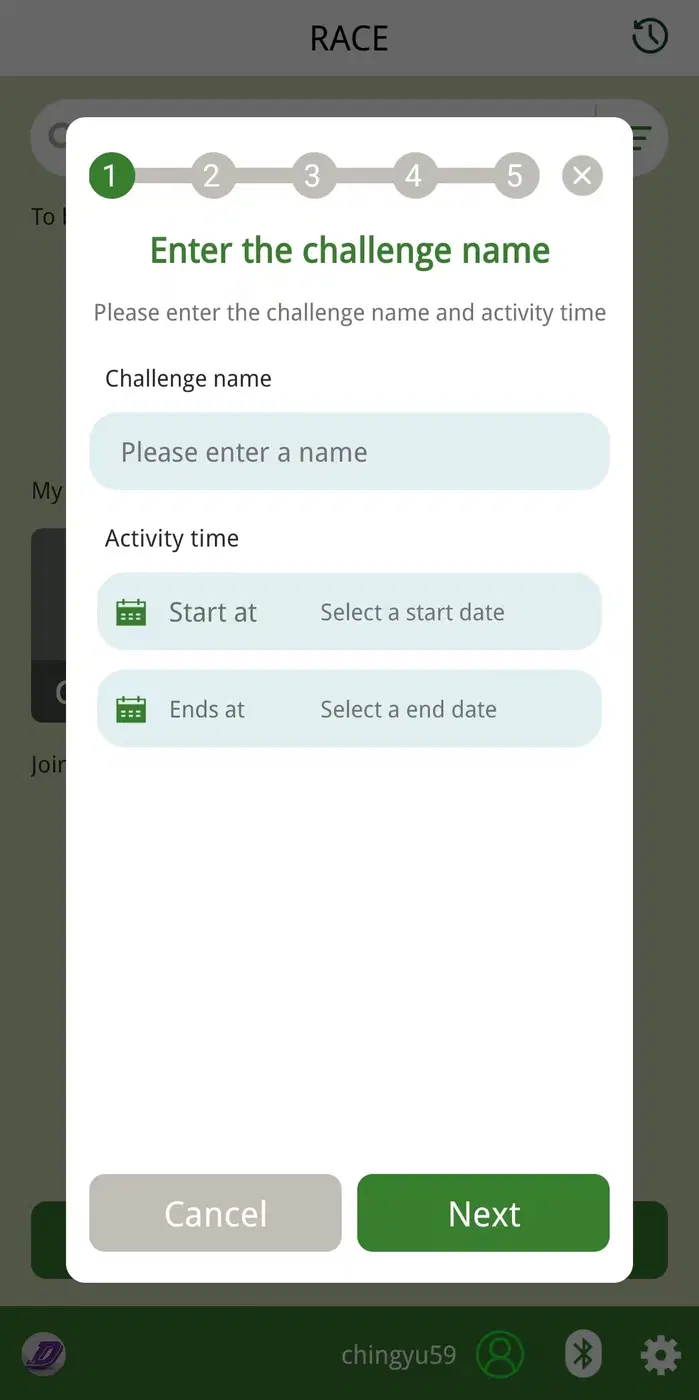
Enter Challenge Name, and define Activity Time.
Note: End time must be after the Start time.
05
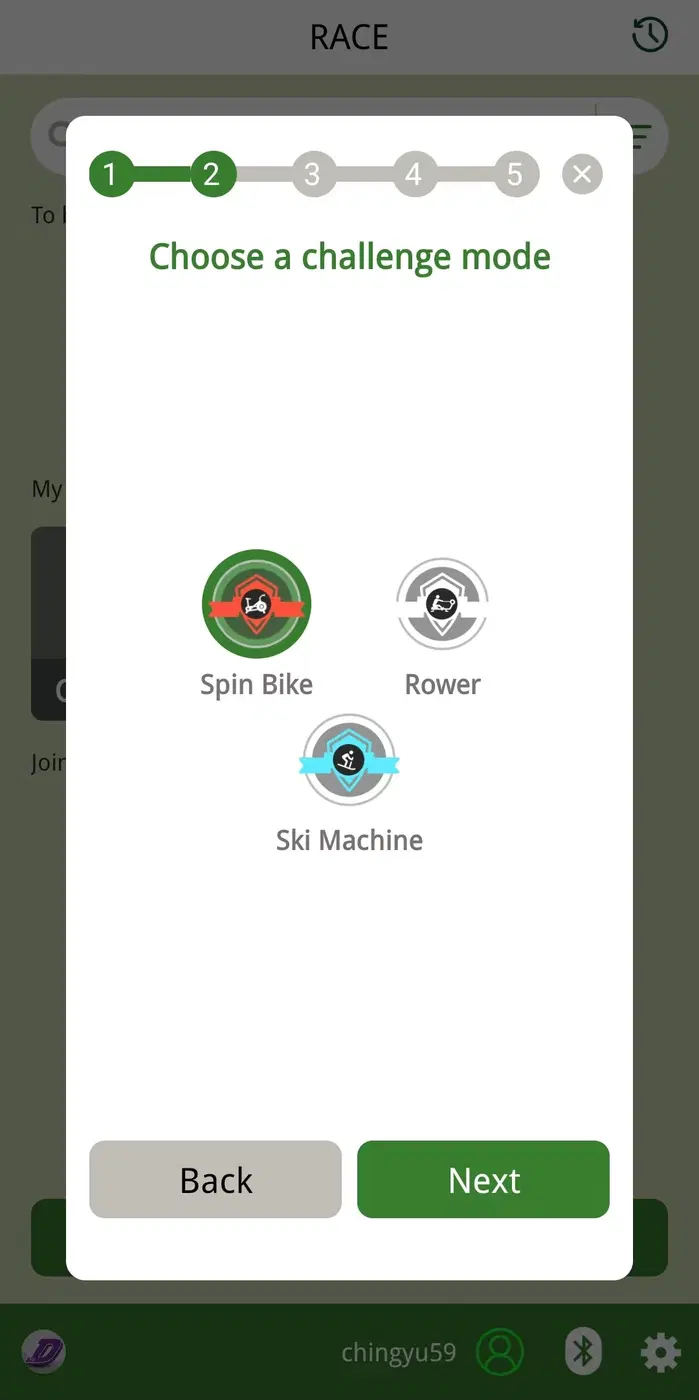
Based on your equipment, select Rower for rowers, Ski Machine for ski trainers, and Spin Bike for fan bikes.
06
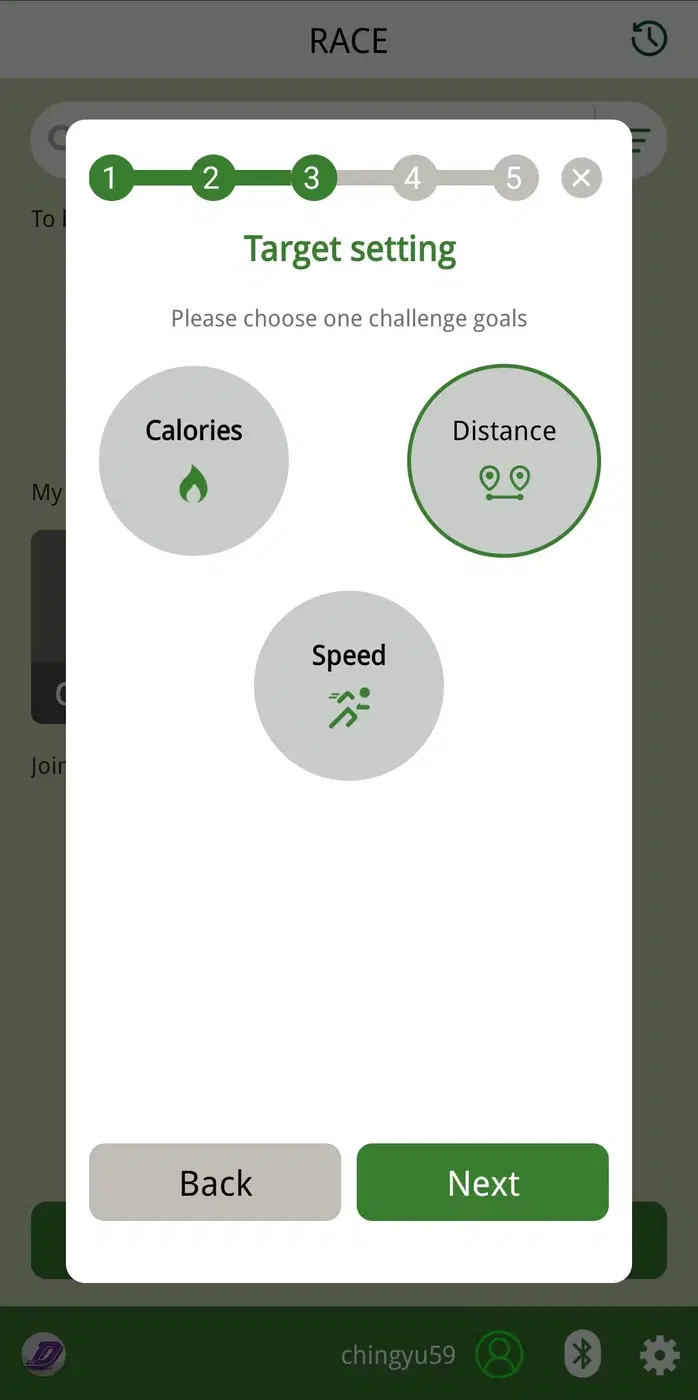
Select the target goal to win the challenge.
Note: If you are unsure, we recommend Distance, as it is commonly used in competitions.
07
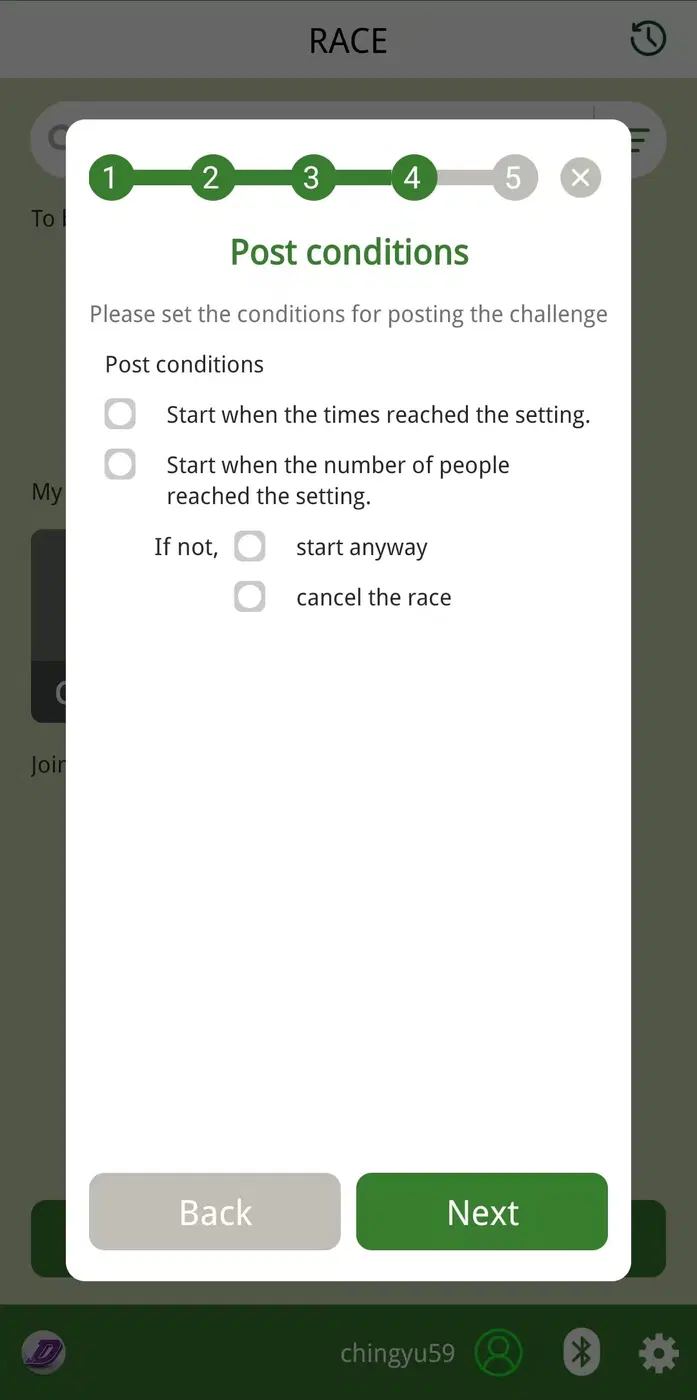
Select when the challenge should start.
Note: If you’re unsure, we recommend selecting Start when the time reaches the setting, as it ensures the challenge runs within your available hours.
08
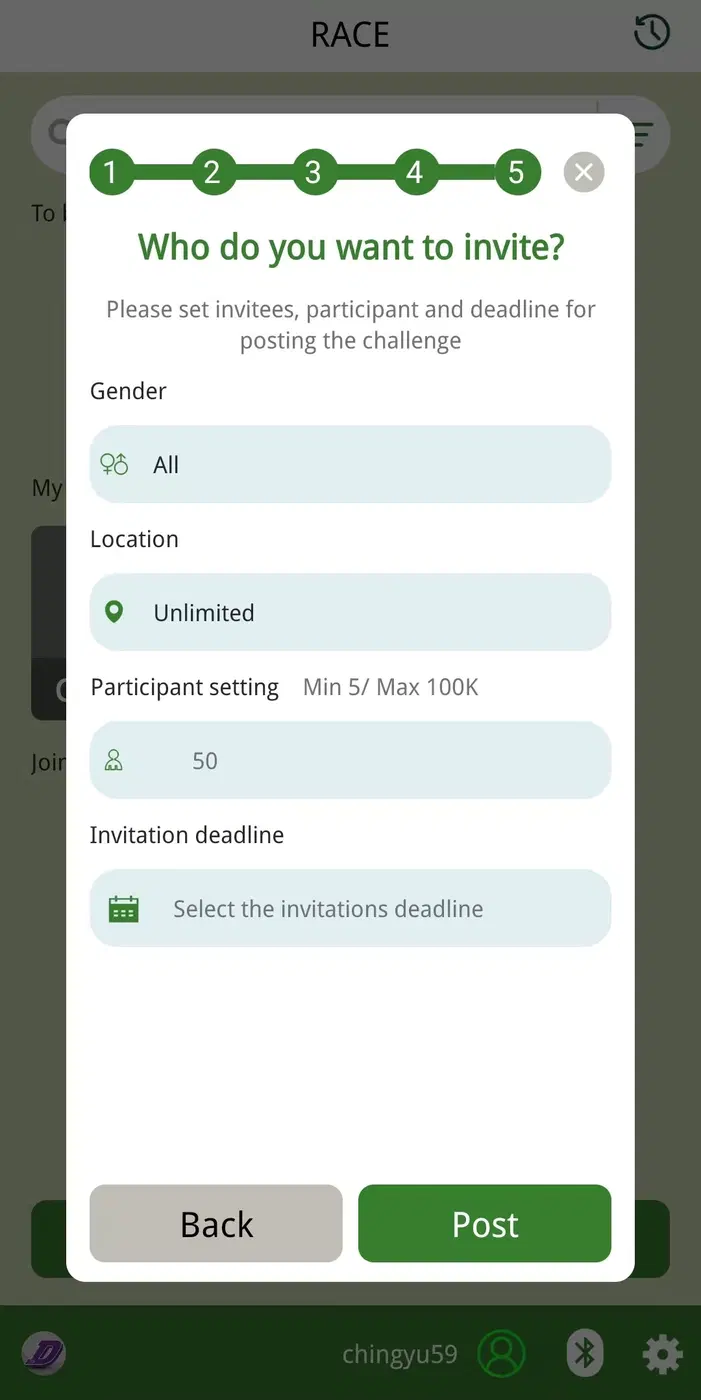
Set who this challenge is visible to, maximum number of participants, and the invitation deadline. Once completed, select Post and you are now ready!
Note 1: The app currently supports up to 100 participants. For larger competitions, please contact us.
Note 2: The invitation deadline must be earlier than the challenge start time.